CRM & Sales

CRM & Sales

Centralise your sales pipeline, structure follow-ups and manage activity using shared data. A focused first scope can be operational from six weeks, depending on data, integrations and team availability.

  • 7 yearsof CRM experience
  • SME · Mid-marketadapted scope
  • From 6 weeksfirst scope
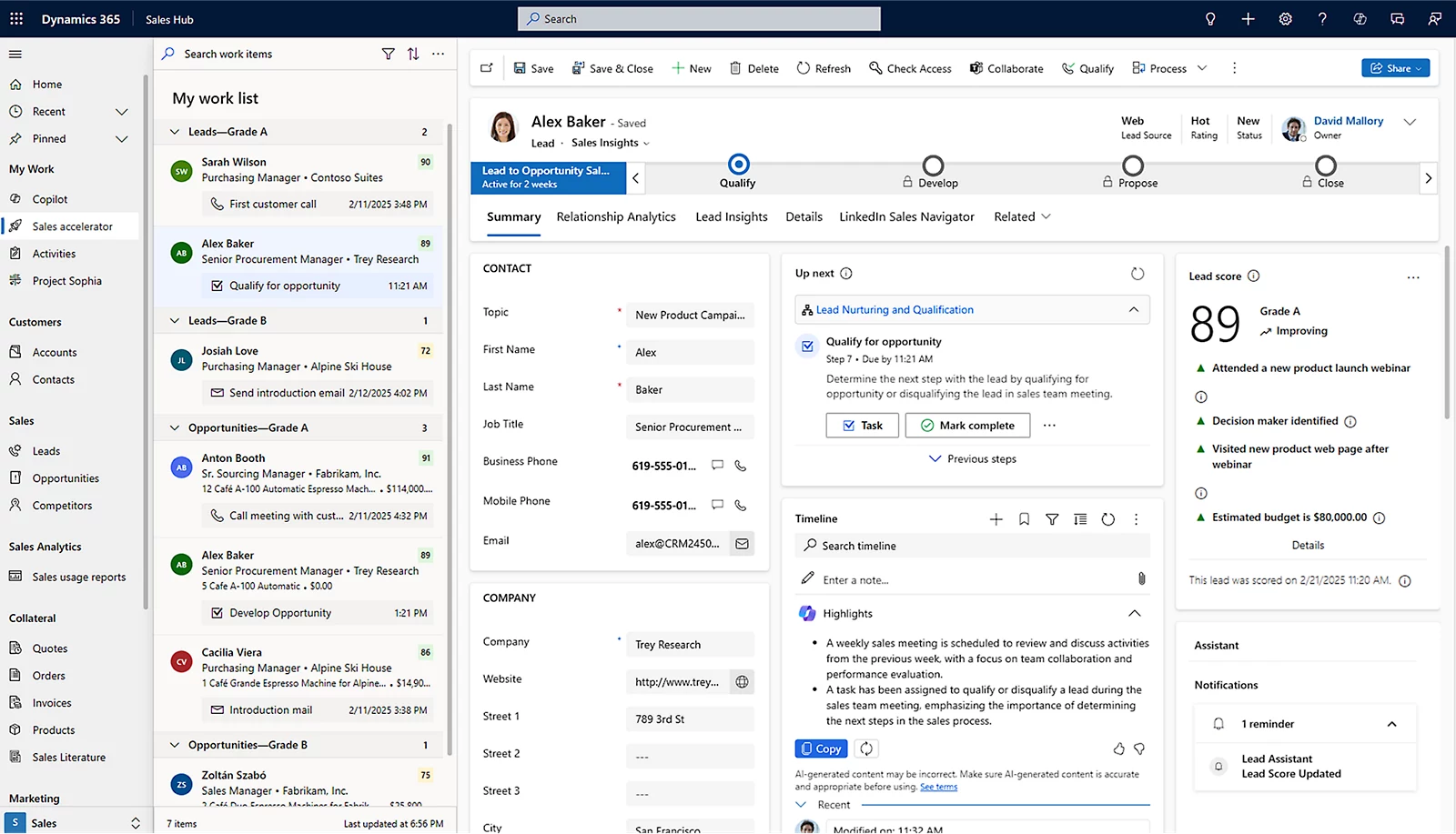
Official Dynamics 365 Sales screenshot showing a work list, lead record, score and next actions
Work list and lead qualification.Microsoft source

The visible interface and features depend on the licence and configuration.

01
Core solution

Dynamics 365 Sales

The platform centralises leads, accounts, opportunities, quotations and activities in a shared sales system adapted to your sales cycle.

The main cost does not come only from re-entering data. It comes from a lack of visibility: which deals are active, which are blocked and where should management intervene?

Dynamics 365 Sales brings leads, accounts, opportunities, quotations and activities into a shared sales system connected to Microsoft 365 tools according to the selected configuration.

Scattered information
Files and histories are difficult to consolidate.
Poorly tracked actions
Follow-ups, responsibilities and priorities lack visibility.
Fragile forecasts
Figures rely on late, manual updates.
01 · Dynamics 365 Sales

Lead management

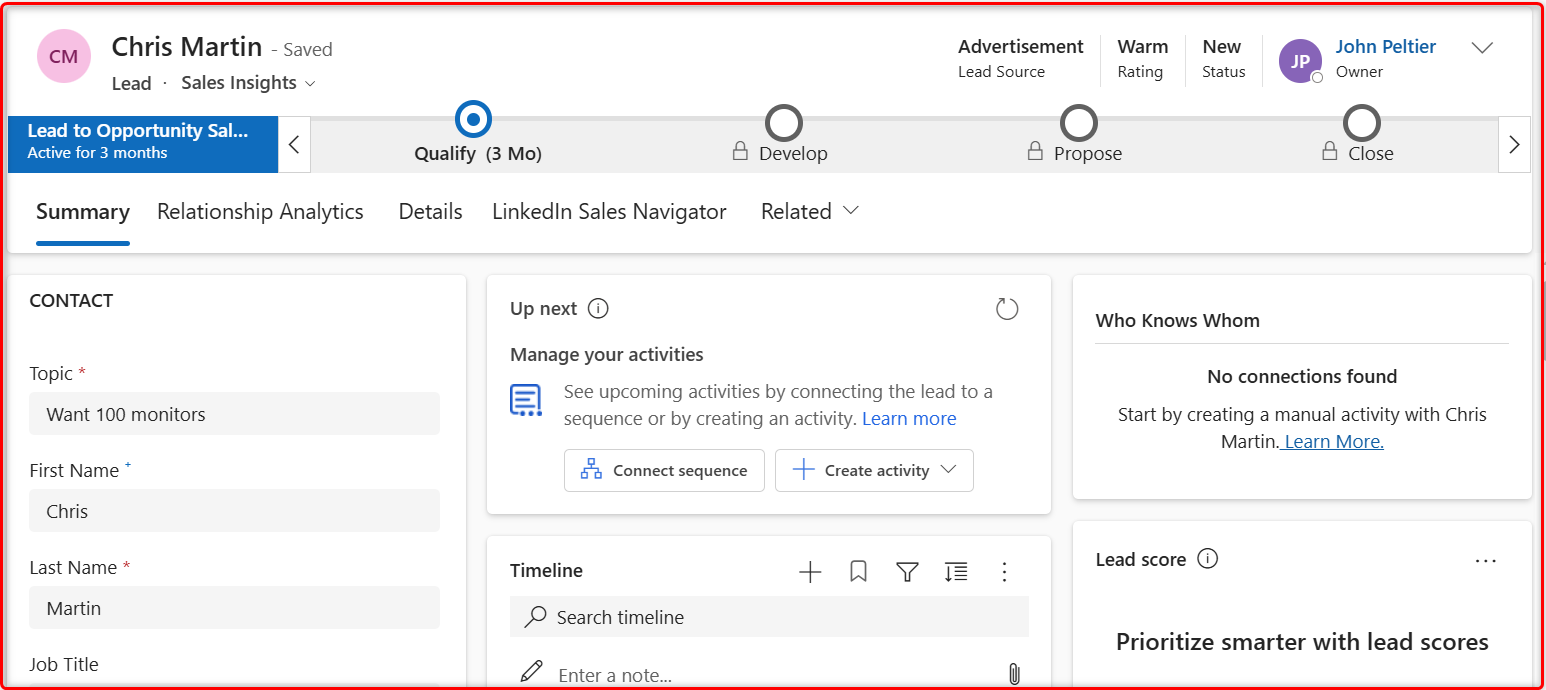
Qualify before converting: criteria become useful information and assignment rules. Salespeople can see where each lead stands and what remains to be done.

Official Dynamics 365 Sales business process flow showing the lead-to-opportunity stages
Lead-to-opportunity business process flow — sample interface and data.Official Microsoft screenshot
Controlled next action

Follow-up automation

A reminder after sending a quotation, an alert for an inactive opportunity or a manager notification: rules are triggered according to thresholds agreed with you.

  • Quotation sentReminder scheduled for the due date
  • Inactive dealAlert sent to the sales representative
  • Threshold exceededNotification sent to the manager
Sales Accelerator sequences require Sales Enterprise or Premium. With Sales Professional, Power Automate can cover selected reminders without reproducing every native sequence feature.
02 · Dynamics 365 Sales

Sales performance

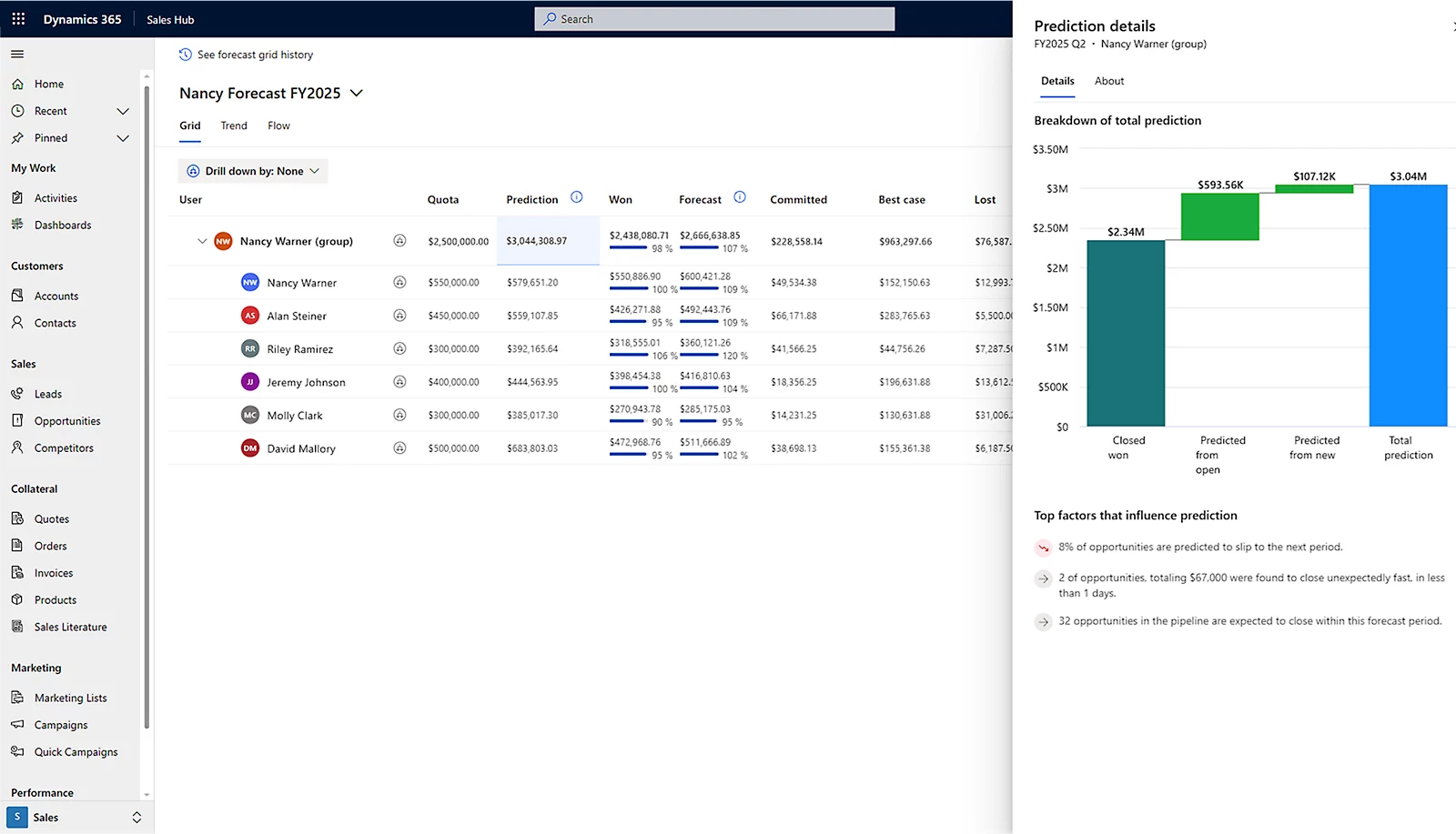
Manage pipeline and forecasts with dashboards that answer concrete management questions. Periodic reporting can be automated according to the selected tools and licences.

Official Dynamics 365 Sales forecasting screenshot with sales grid and prediction chart
Sales forecasts and factors influencing the pipeline.Official Microsoft screenshot
  1. 01

    What can the team realistically close?

    The pipeline is broken down by stage, owner and expected close date.

  2. 02

    Where should management intervene?

    Inactive, overdue or insufficiently qualified opportunities become visible.

  3. 03

    Which forecast should be shared?

    Assumptions and commitments are consolidated in a shared view.

Native forecasting is available with Sales Enterprise and Premium. With Sales Professional, dashboards and Power BI reporting can cover a defined management need without being presented as equivalent to native forecasting.

03 · Dynamics 365 Sales

Accounts & opportunities

Bring the organisation, contacts, activities and every deal into one shared sales view, from the first interaction through to the quotation.

Outlook and Teams

Emails and appointments can be linked to accounts and opportunities from Outlook. Teams supports collaboration around CRM records after configuration.

Exact capabilities depend on the Outlook version, Microsoft 365, the Teams environment and Exchange synchronisation.

Accounts, opportunities and quotations

Each deal links the organisation, contacts, stage, value, products, target date and next action. Quotations use the selected catalogue and pricing rules.

If an ERP remains the system of record for products and prices, the required data is synchronised through defined flows.
04 · Dynamics 365 Sales

Sales integration

Define where each data item lives: a useful integration does not copy everything everywhere. It specifies the system of record, flow direction and error handling.

View the ERP integration page
02
What we deliver

A first operational scope from six weeks

This timeline covers a focused scope — leads, opportunities and reporting — generally suited to a team of 5 to 30 users. The final schedule is confirmed after scoping.

  1. 01
    Week 1

    Scoping

    Actual sales cycle, users, priorities and data to migrate.

  2. 02
    Weeks 2 to 4

    Configuration

    Sales stages, qualification, assignment and guided business process.

  3. 03
    Weeks 3 to 5

    Data migration

    Preparation, deduplication, pilot import and quality checks.

  4. 04
    Week 5

    Reporting

    Priority views and dashboards for the team and management.

  5. 05
    From week 6

    Training and go-live

    Training with your data, validation and release to users.

  6. 06
    Then

    Continuous improvement

    Support, corrections and enhancements through controlled iterations.

We do not enable every module from the outset: the team first adopts a clear tool, then the scope evolves.

03
Migrating your data

Preserve history without importing disorder

An empty CRM does not help the team. A CRM full of duplicates quickly loses credibility. Migration is therefore prepared and checked before the full import.

  1. 01Sources

    Excel or existing CRM

  2. 02Audit

    Volume, quality and history

  3. 03Preparation

    Standardisation and duplicates

  4. 04Validation

    Sample reviewed with you

  5. 05Import

    Loading and final checks

Migration can start from Excel files or a CRM such as Salesforce, HubSpot, Pipedrive, Sage CRM or an internal application. Timing depends on volume, attachments, data quality and export capabilities.

You validate a sample before the full import. Data that is not migrated can be archived according to a retention period, location and responsibility defined during scoping.

04
What it costs

Two budgets that should not be confused

Microsoft bills the licences. The integration project covers the scoping, configuration, migration and support work agreed with you.

Microsoft licences

Per user, per month

Sales ProfessionalStandard sales cycle, from leads to quotations
56,30 € excl. VAT
Sales EnterpriseSequences, native forecasting and advanced customisation
91,00 € excl. VAT
Annual billing. Microsoft prices may change.
Integration project

Strict-scope Sales starter

€9,900 excl. VATFixed price

One sales process, up to 10 users, standard dashboards, one two-hour group training session and one follow-up after 15 days.

Excludes data migration, integration and bespoke development. These needs can still be delivered through a custom scope estimated after scoping.

Need to integrate your ERP with Dynamics 365 Sales? The interface is scoped separately with your ERP specialist.

Estimate your budget
05
What varies with your context

Conditions are clarified before commitment

The exact scope, timeline and budget are agreed during scoping, before configuration begins.

FeaturesAvailable screens and features depend on the licence and enabled options.
Sales processQualification, assignment and exceptions are configured around your actual operation.
DataVolume, quality, attachments and source access affect the migration.
IntegrationsEach flow defines its system of record, synchronisation direction and controls.
TimelineA start from six weeks assumes a focused scope and a business owner available for roughly half a day per week.
FAQ

Questions before choosing the scope

Is Dynamics 365 Sales suitable for an SME or mid-market company?
Yes, when the scope fits the number of users, sales cycle and data actually required. A progressive start with leads, opportunities and reporting limits complexity and supports adoption.
Can we migrate from Excel or another CRM?
Yes. We can migrate Excel files or prepare a move from Salesforce, HubSpot, Pipedrive, Sage CRM or an internal application. Scope depends on volume, quality, attachments and export capabilities.
What is the difference between Sales Professional and Sales Enterprise?
Sales Professional covers the standard cycle from leads to quotations. Sales Enterprise adds features including Sales Accelerator sequences and native forecasting, subject to licensing capabilities and conditions confirmed during scoping.
Does Dynamics 365 Sales work with Outlook?
Yes. Emails and appointments can be linked to accounts and opportunities from Outlook. Exact features and synchronisation depend on the Outlook version, Microsoft 365 and Exchange configuration.
Can Dynamics 365 Sales connect to our ERP?
Yes. Accounts, products, prices, orders or invoicing statuses can be synchronised. One system must be designated as the system of record for each data domain.
What happens after go-live?
Support can cover corrections, functional enhancements, training for new users and adjustments related to Microsoft updates.
Your context first

Define the CRM your team actually needs

A 30-minute conversation to identify users, data and the first process to secure. No generic sales presentation.